
0. Introduction
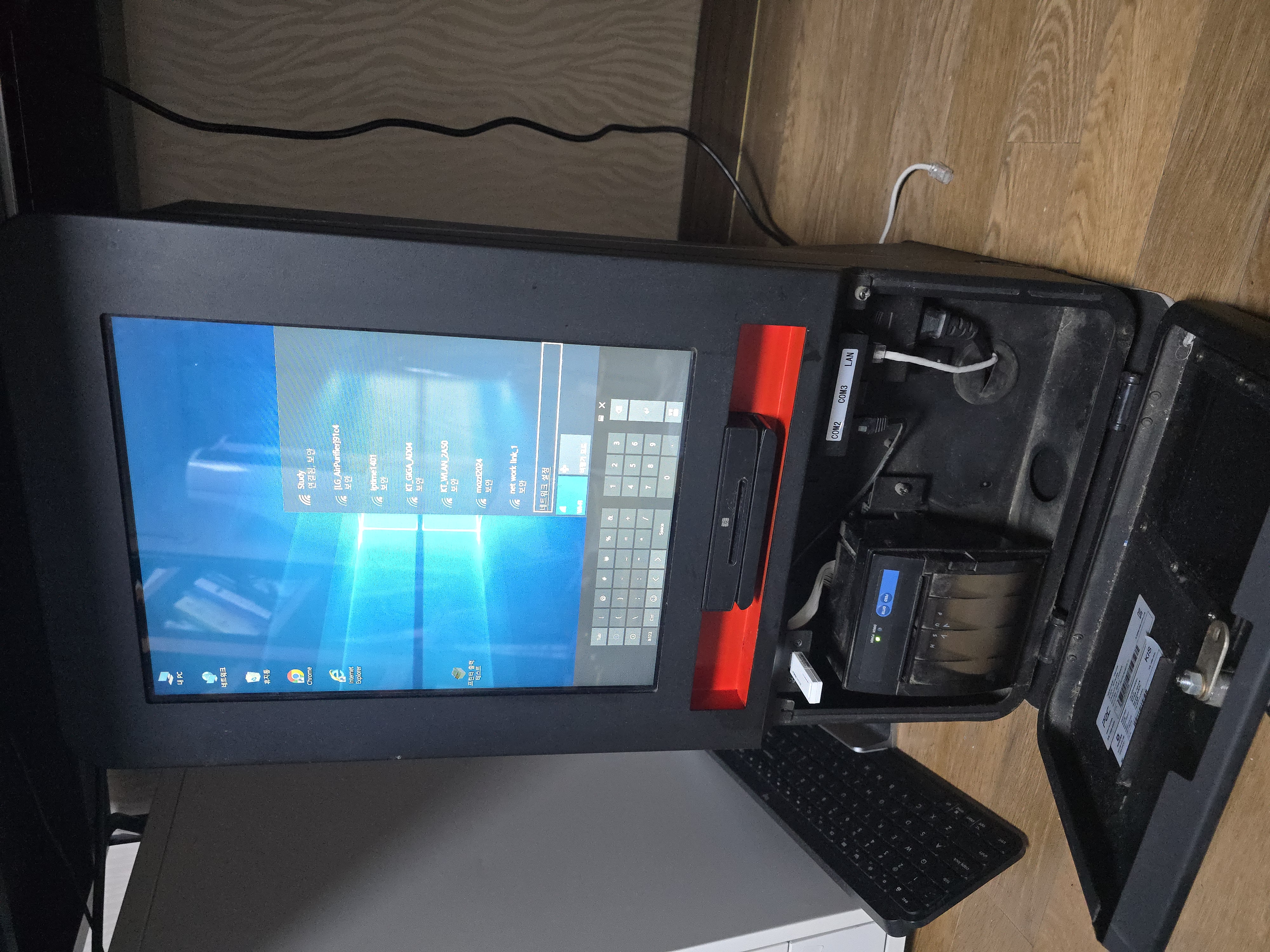
An acquaintance who runs a parking lot recently had to cut staff. That left a gap: without a kiosk, “extending or registering a monthly pass” had always required an attendant, and I was asked to build a kiosk to handle it. The conditions: “easy to maintain, and cheap.”
In this series, I’ll walk through the eventful project of refurbishing a secondhand kiosk picked up on Karrot (Korea’s local marketplace app), building the software for it, and running it in production.
The project breaks down into 4 parts.
Series Table of Contents
- Part 1 - Hardware: Refurbishing a secondhand kiosk and getting serial communication working
- Part 2 - Software: Flutter app structure and parking API integration
- Part 3 - Operations/Troubleshooting: Failures encountered in live operation and recovery strategy
- Part 4 - Shipping and Backups: Backup reliability and preventing bugs at shipping time
The core thread running through it:
- Project overview
- Hardware refurbishment
- Software development
- Real-world operation and troubleshooting
Told across 4 posts.
1. Background — Why Build a Kiosk
Automating the Parking Lot
As vacancy rates climb in regional commercial buildings, there’s been a push to cut the cost of running buildings, parking lots included. As parking lots become more unmanned, operating hours shrink and staff headcount drops — creating a need to replace the functions attendants used to handle.
Isn’t There Already an Existing Solution?
The parking-control company already serving this lot does sell an official kiosk, but the per-unit price is steep enough that the lot only runs a single one. On top of that, functions the lot actually needs — “free passage” and “monthly pass registration/renewal” — simply aren’t supported.
How Hard Could It Be to Build?
Since the parking-control company is already building kiosks of its own, the DB schema and REST API are already provided. That means I could treat their backend as a self-contained “black box” and just needed to handle the API responses and exceptions cleanly. For anything payment-related and sensitive, I followed the PG (payment gateway) provider’s docs closely to match their required format.
2. Project Goal & Scope — What Was the Target?
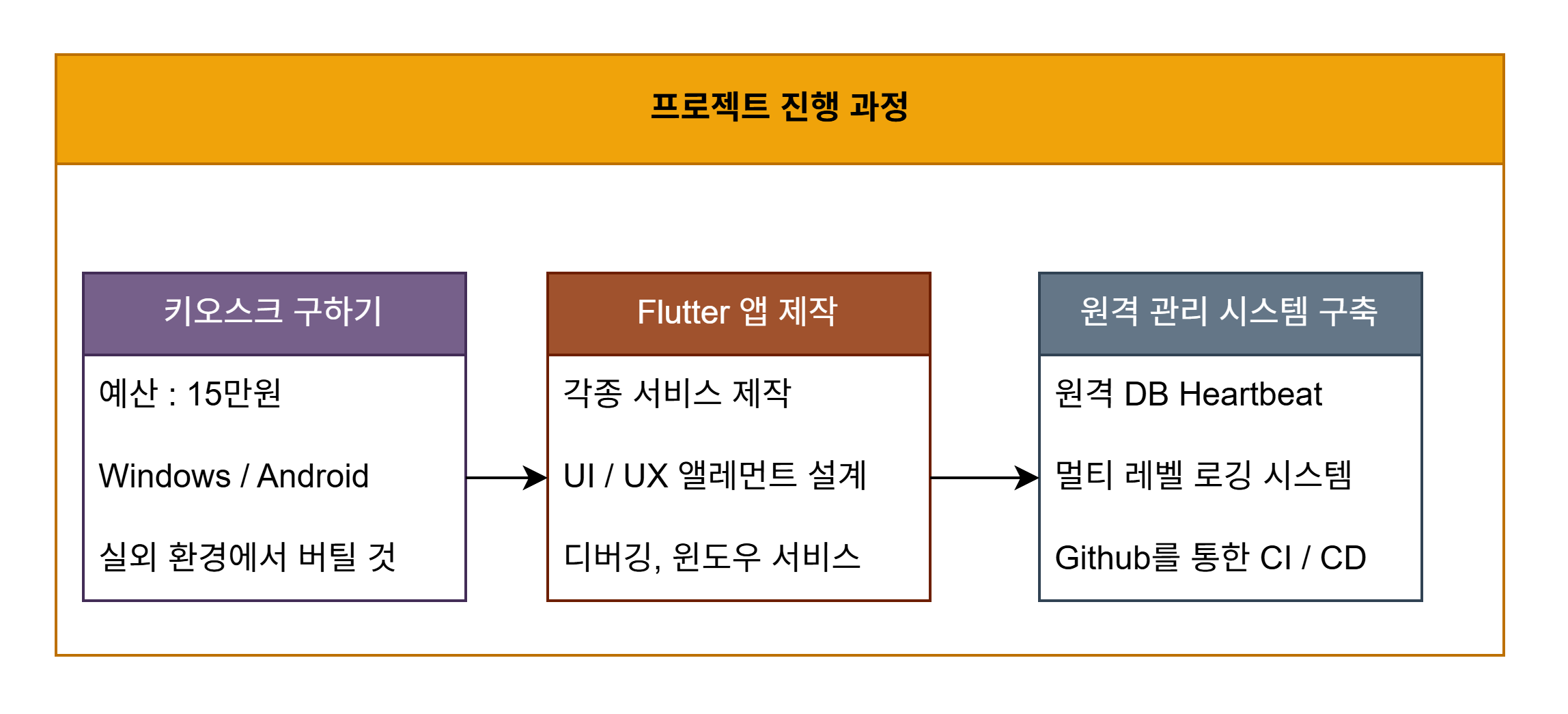
Core Project Goals
This project set three core values: low cost (reusing secondhand hardware), high polish (improved UI/UX), and robustness (maintainability).
- Source a secondhand kiosk from Karrot for under 150,000 KRW.
- Achieve a polished result using a modern Flutter UI/UX.
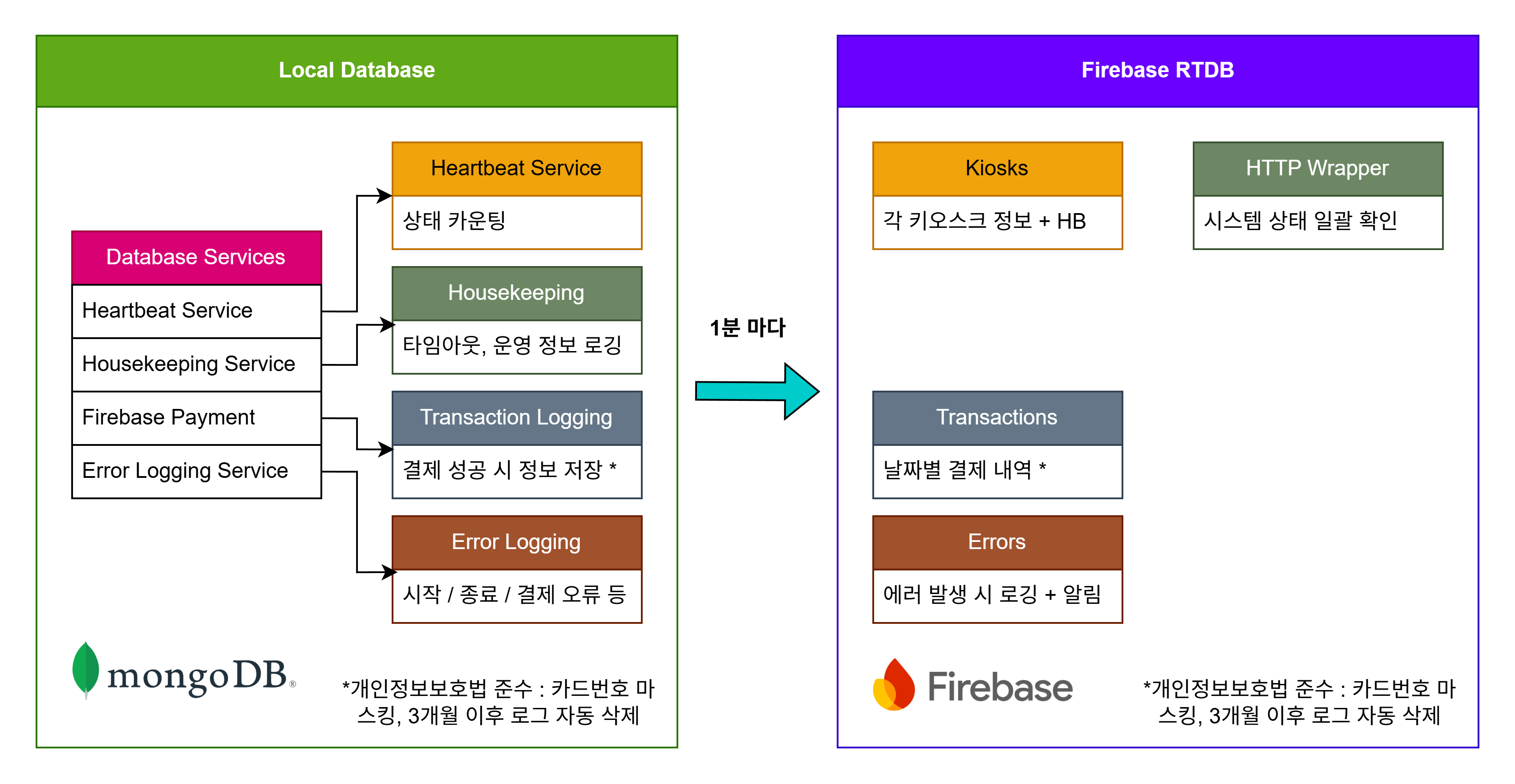
- Monitor system status and manage remotely via Firebase RTDB.
3. System Architecture: Overall Structure
 |
 |
Hardware Layer
- 15-inch touch POS unit
- Smartro SMT-R231 card reader
- 3-inch receipt printer
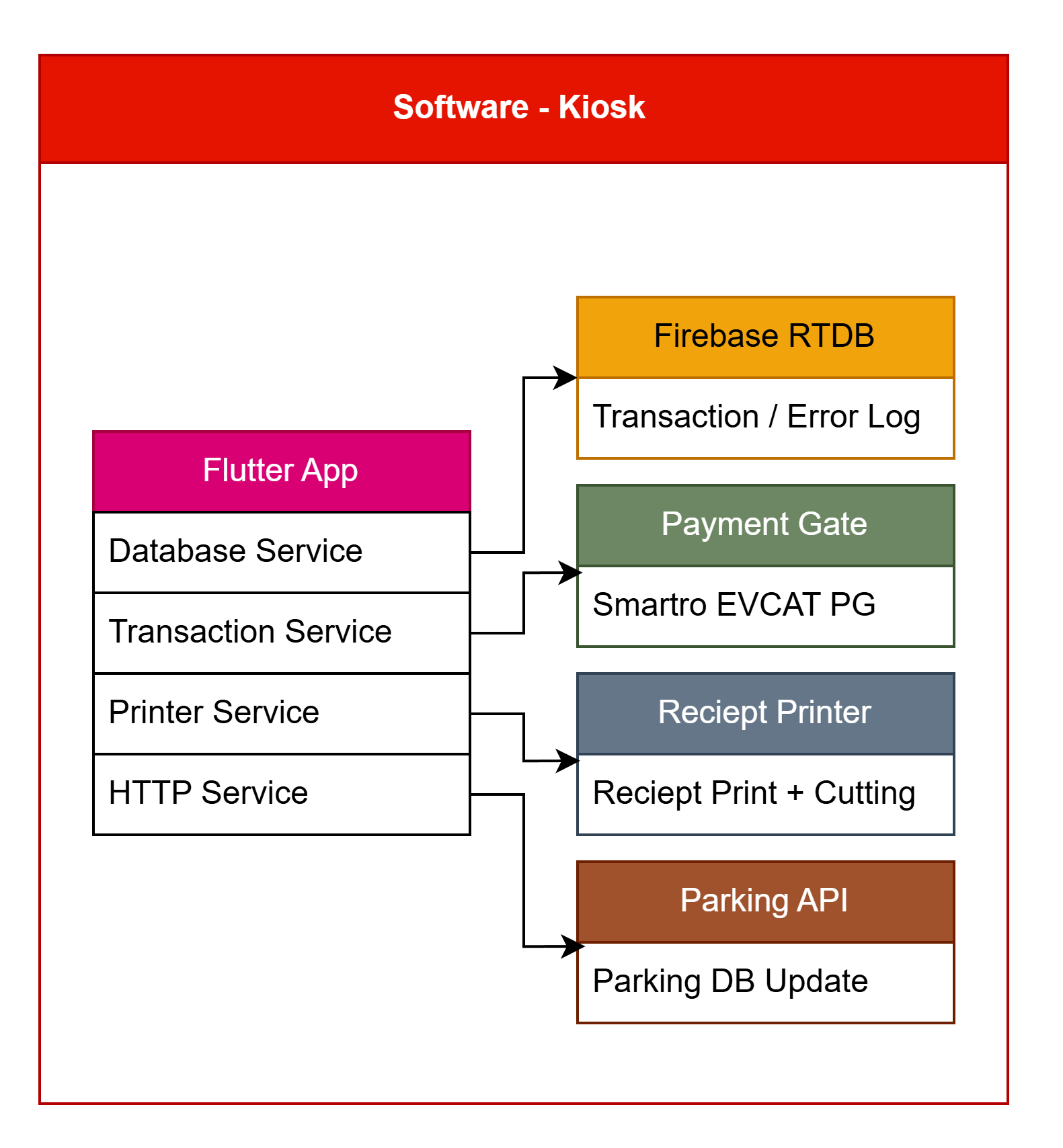
Software Layer
- Main app: the Flutter Parking app
- PG software: Smartro EVCAT
- Parking registration: the parking operator’s REST API
- DB: MongoDB (local) + Firebase (cloud)
4. Expected Effects
- Dramatically cheaper than commercial parking equipment (secondhand body + new card reader for a total build cost of roughly 200,000 KRW)
- A stack of features the original software never had: automatic monthly-pass registration, advanced logging, a dual-DB setup, daily-pass registration, and more
- Better maintainability via remote access, plus a CI/CD setup that automated the GitHub workflow
5. Coming Up
Working on this taught me a lot about developing for a “real” environment, so each part of the series digs into the details — how the hardware works, PG integration, and deployment/operations issues.