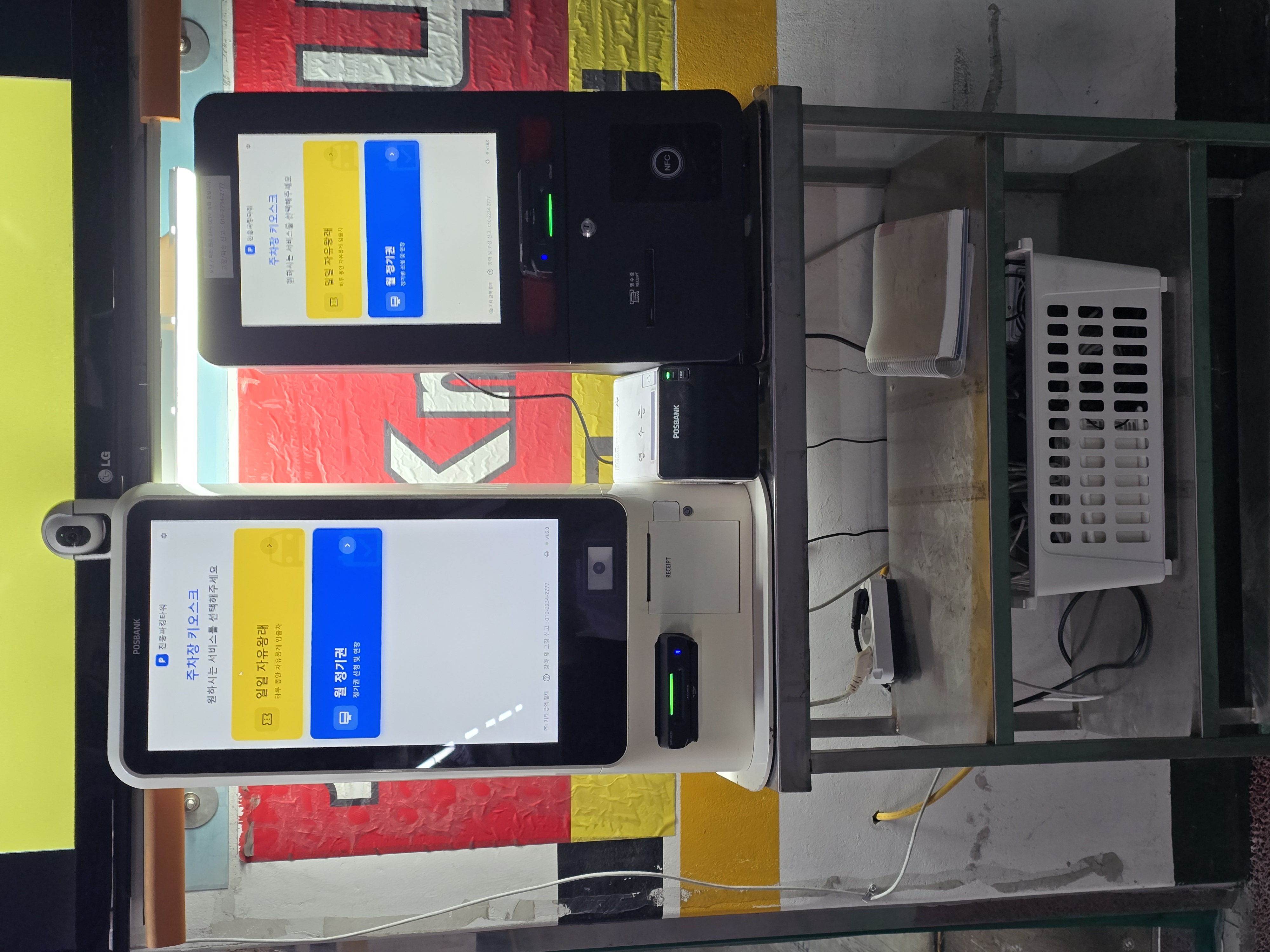
1. Adding a Second Kiosk
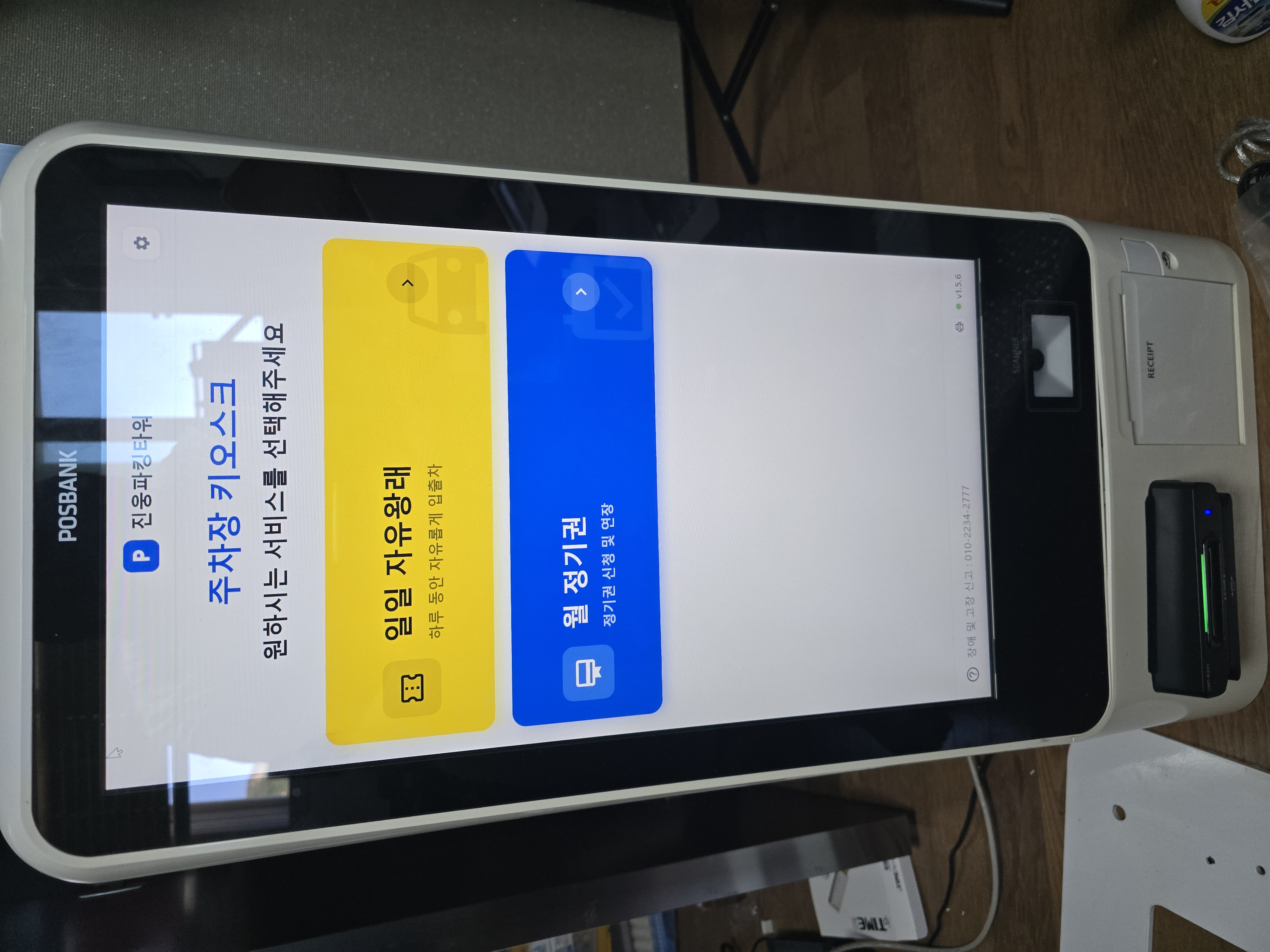
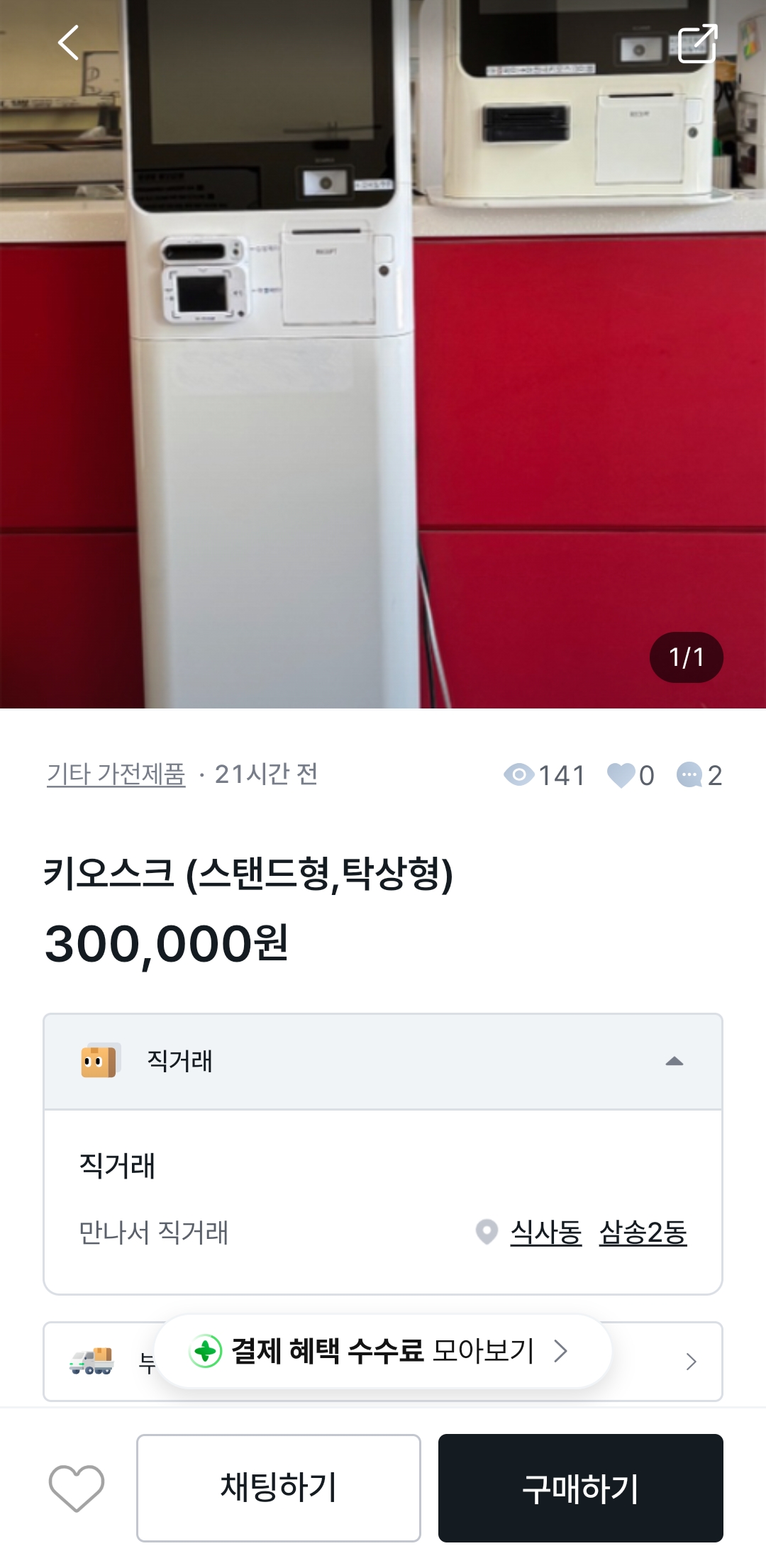
To reduce reliance on the aging hardware, I added a POSBANK BIGPOS 2150 alongside the existing P2C kiosk. This unit also runs a Celeron J1900 with 4GB of RAM, but offers a larger 21.5-inch screen, so I bought one and started refurbishing it.
 |
 |
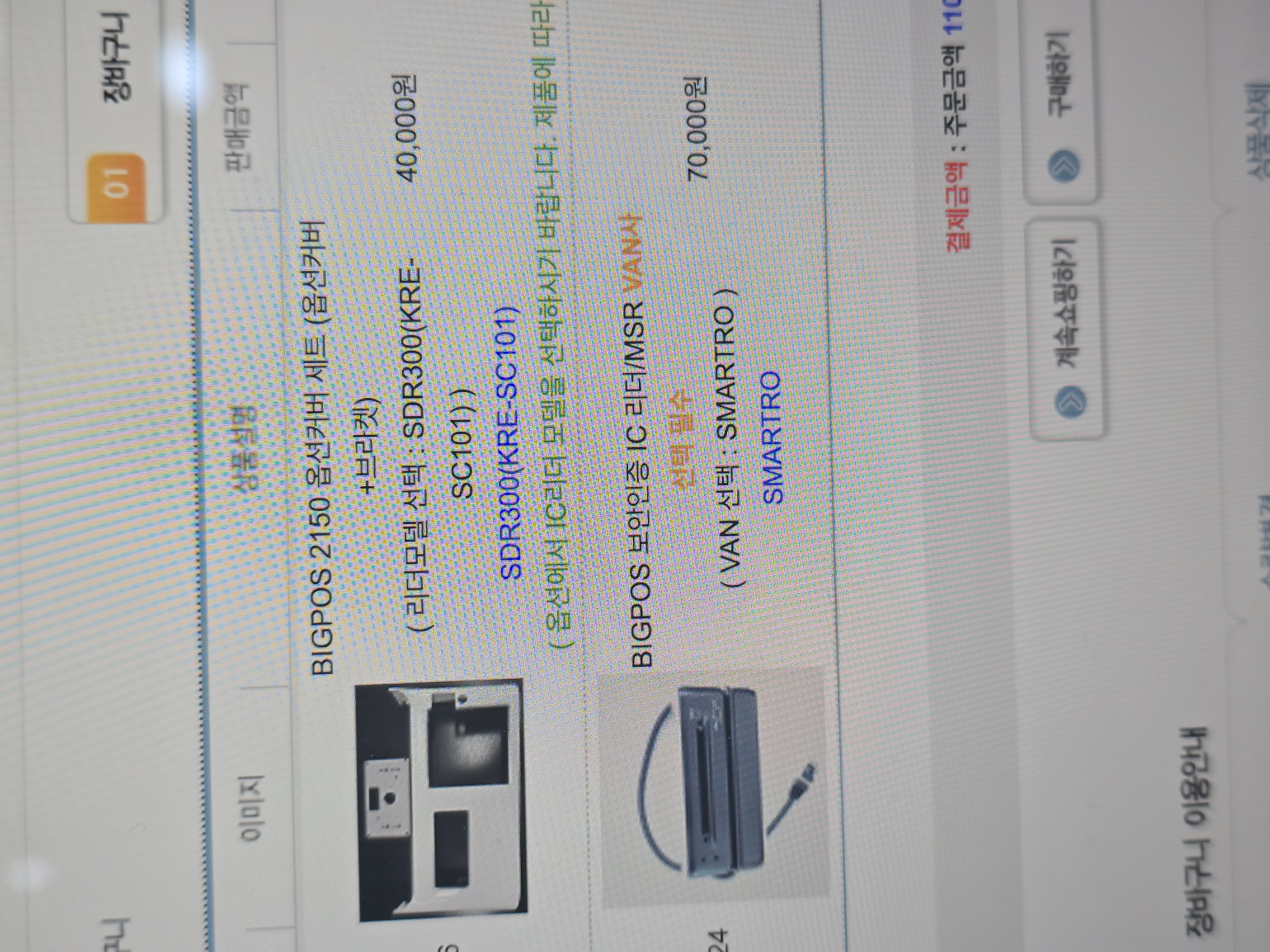
As shown, the card reader is embedded in the kiosk, connected via an RJ-45 jack in POSBANK’s own proprietary format. As mentioned before, a card reader is tied to a specific card company, so the NICE reader in this unit couldn’t be used with our SMARTRO VCAT setup. A genuine POSBANK reader plus front cover runs about 110,000 KRW, and delivery looked like it would be delayed. So instead, I bought an SMT-R231 (a Smartro SDR300 reader) and did a retrofit using a USB-to-serial adapter and some sanding.
 |
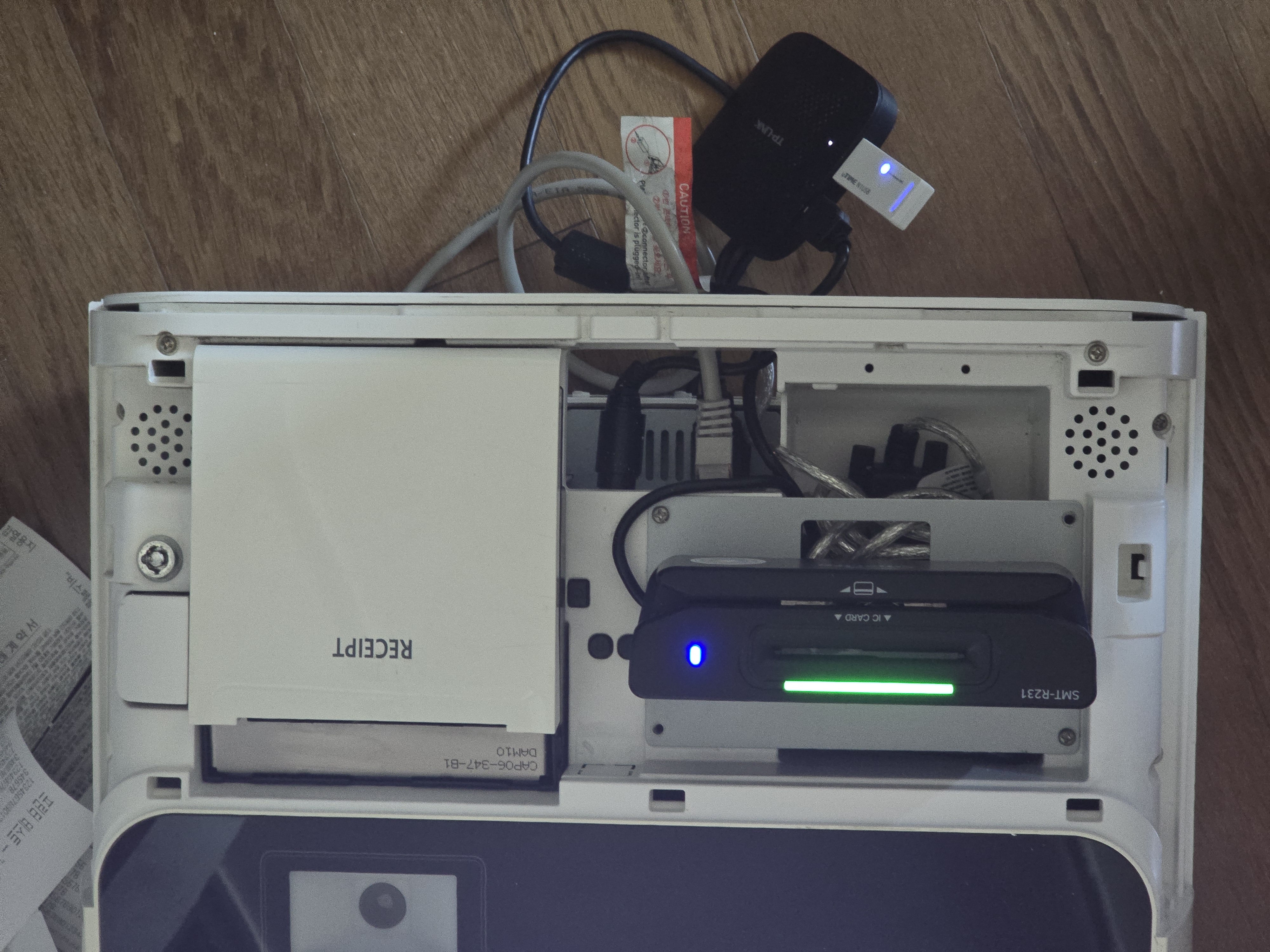 |
The existing receipt printer runs on COM5 at 9600N0, with firmware logic that always cuts once it hits the receipt’s EOT. There’s a circular lock on the right side holding the front access panel shut.
2. Hardening Kiosk Network Reliability
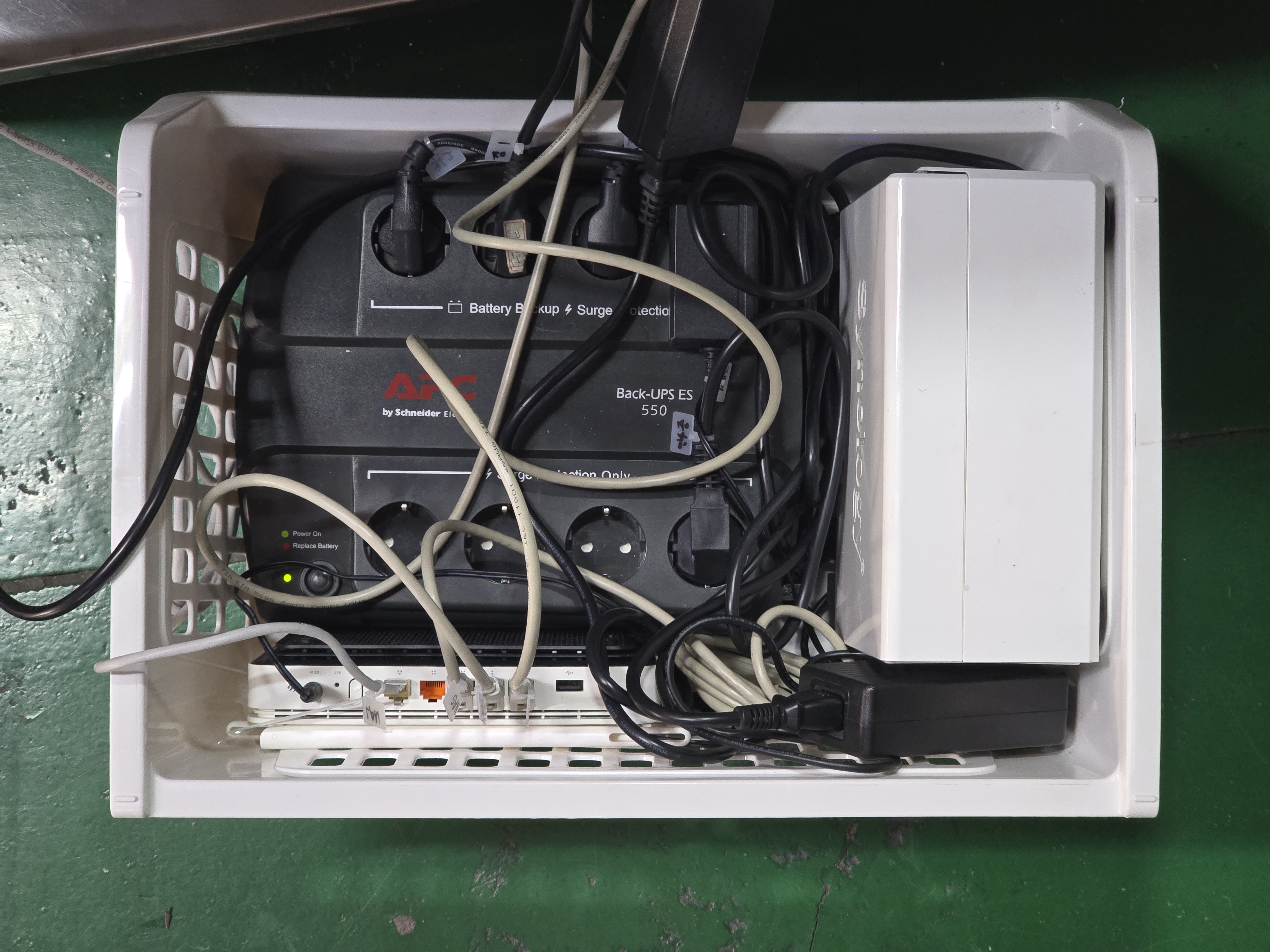
The original network ran on an iptime wireless adapter plus the office network, so if the wireless adapter dropped for any reason, the app — built on WebSocket — became useless. To fix this, the primary network is now a wired internal network shared only among the NAS (described below), the two kiosks, and the router, with a QoS-based fallback to the office wireless network if that link goes down — eliminating the risk of network downtime.
 |
 |
3. Power-Outage Preparedness and Battery Backup
Power outages aren’t frequent at the parking lot, but they do happen occasionally — electrical maintenance, lightning strikes, or office relocation work. Since the kiosks are all SSD-based, there’s no risk of head parking (physical data loss from a drive head crashing onto the platter). Even so, I installed a UPS to protect the embedded power supply, other components, and the database from corruption.
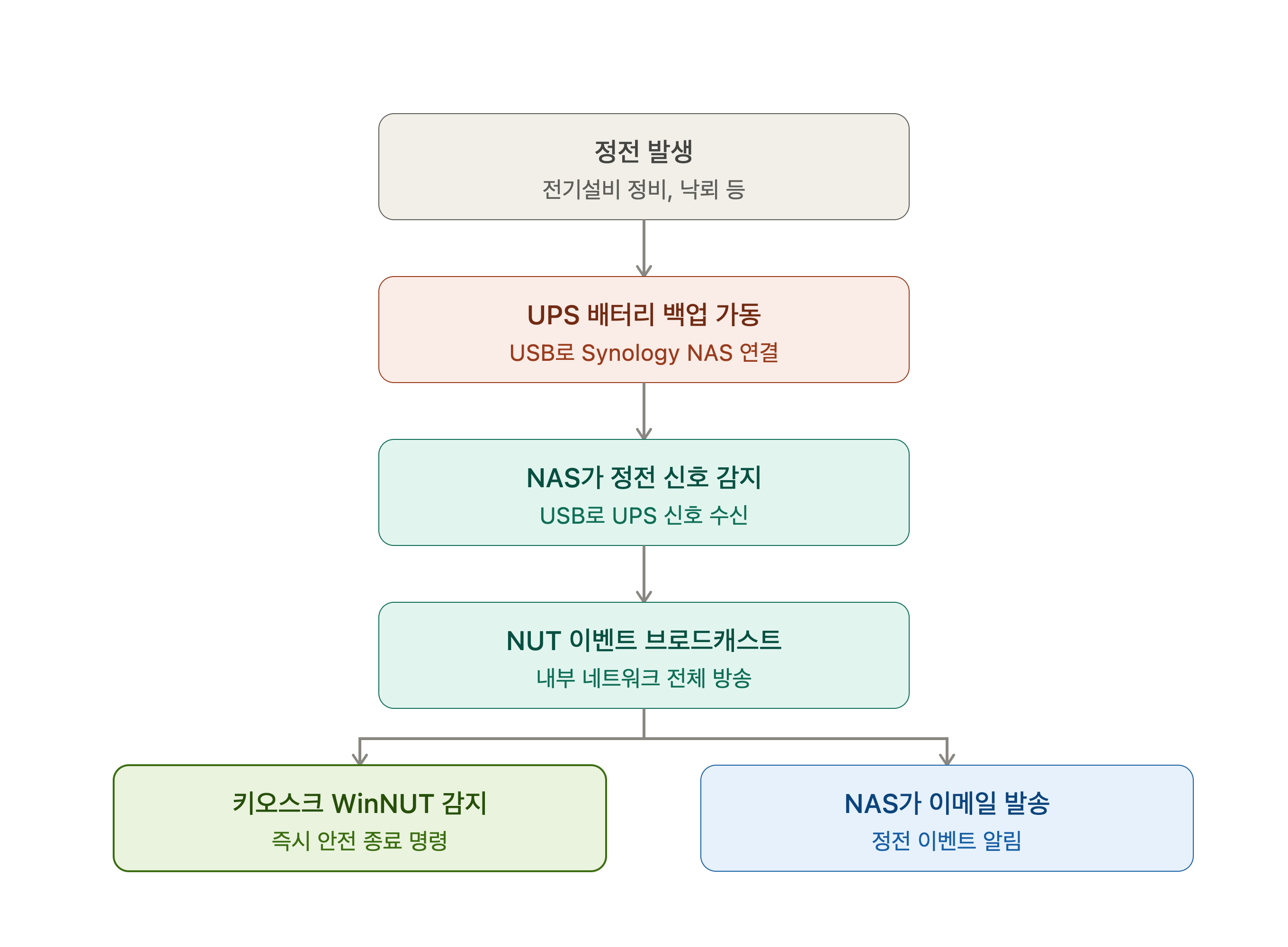
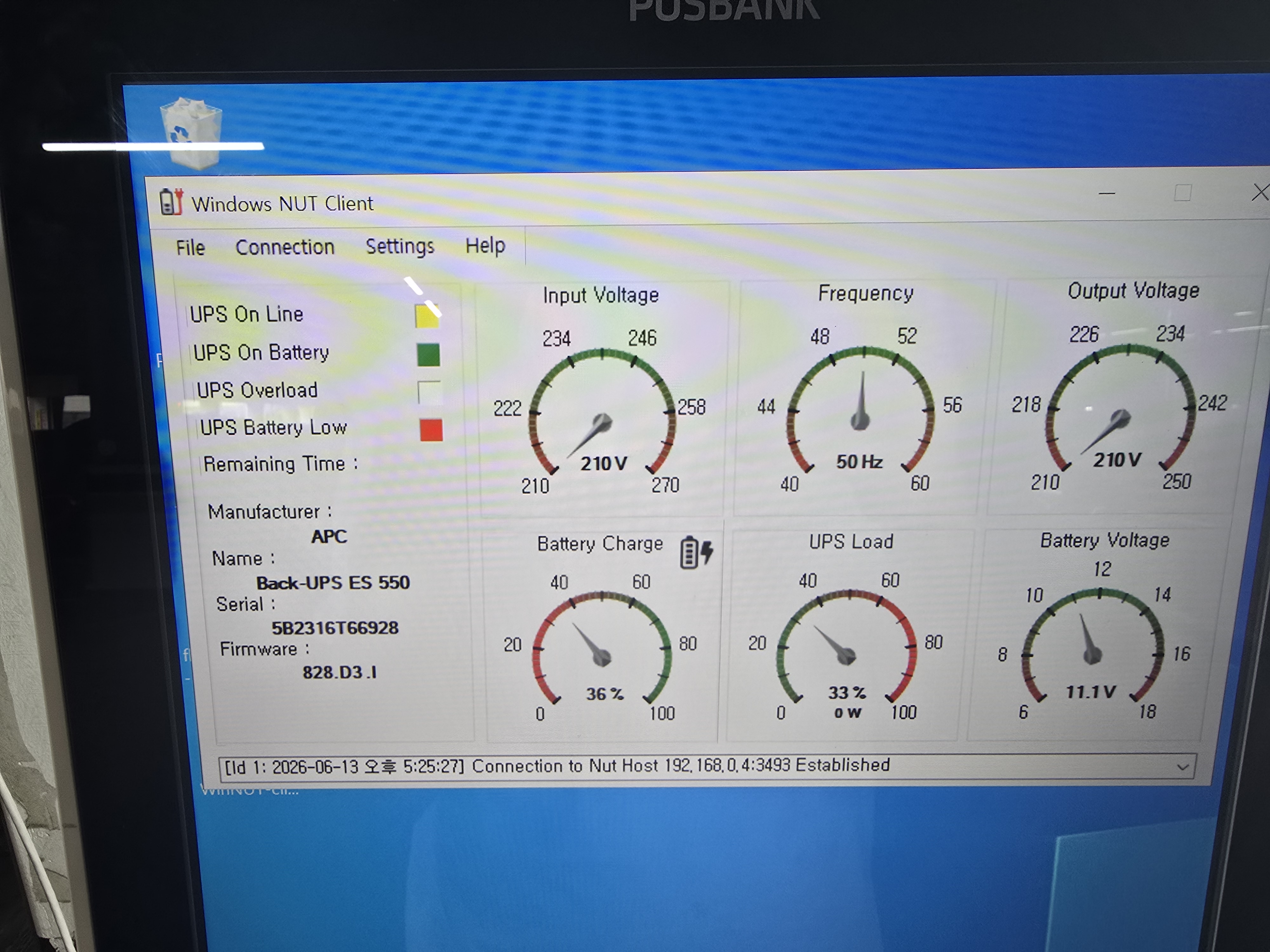
This battery backup connects to a Synology NAS over USB, and when a power outage hits, the Synology NAS broadcasts a NUT event across the internal network. Each kiosk’s WinNUT client detects this and immediately issues a shutdown command for a safe power-down, while the Synology NAS sends an email notifying about the outage.
 |
 |
4. Fixing the Printer Jam Issue
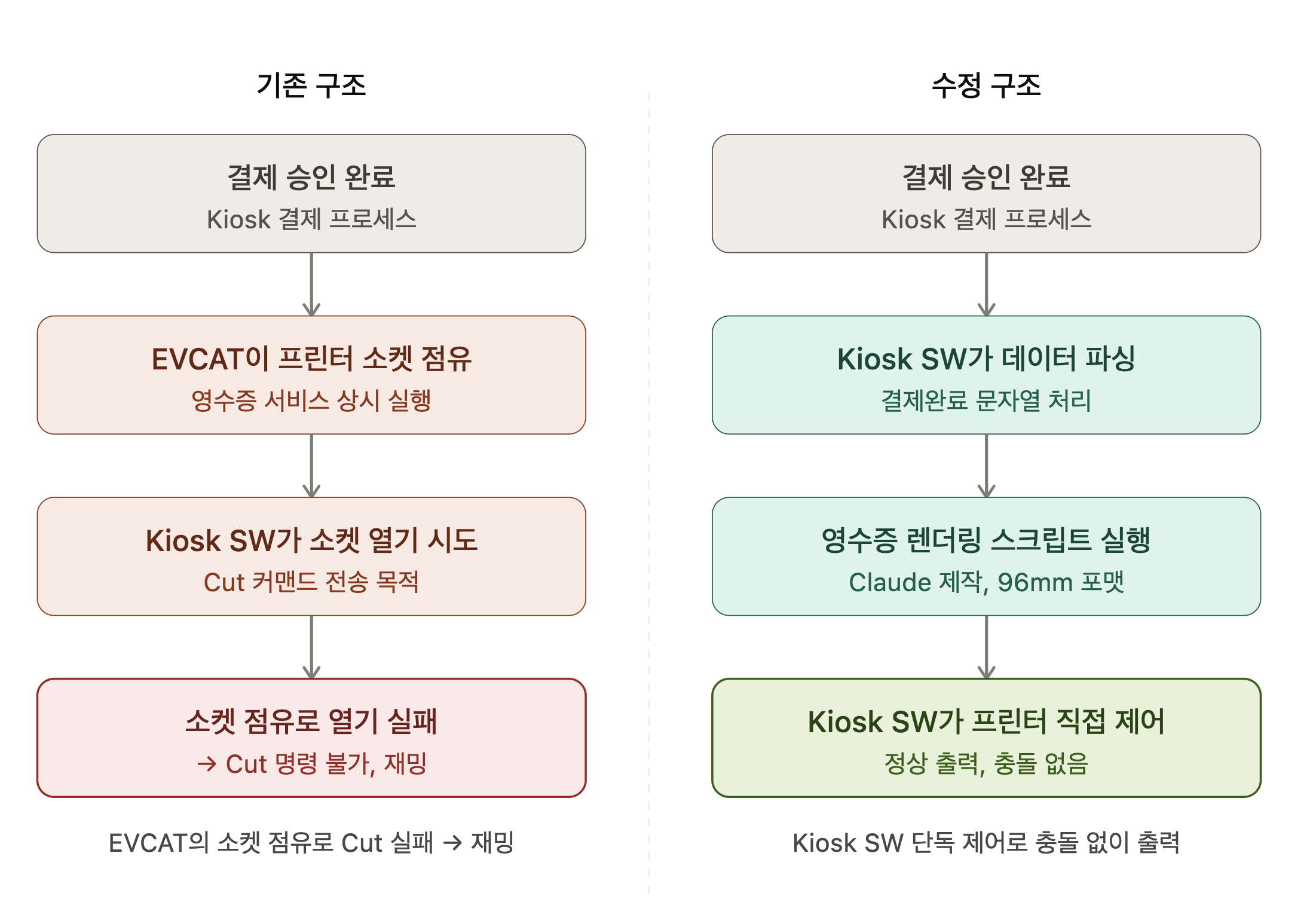
I finally tracked down the root cause of the persistent receipt-printer jams: it was a problem with Smartro EVCAT’s receipt service. Previously, EVCAT would print the receipt, and then a separate cut command would reopen the serial port to send the cut instruction — but if EVCAT didn’t properly close its socket after sending all its data, the port would fail to reopen, and the cut command would never execute.
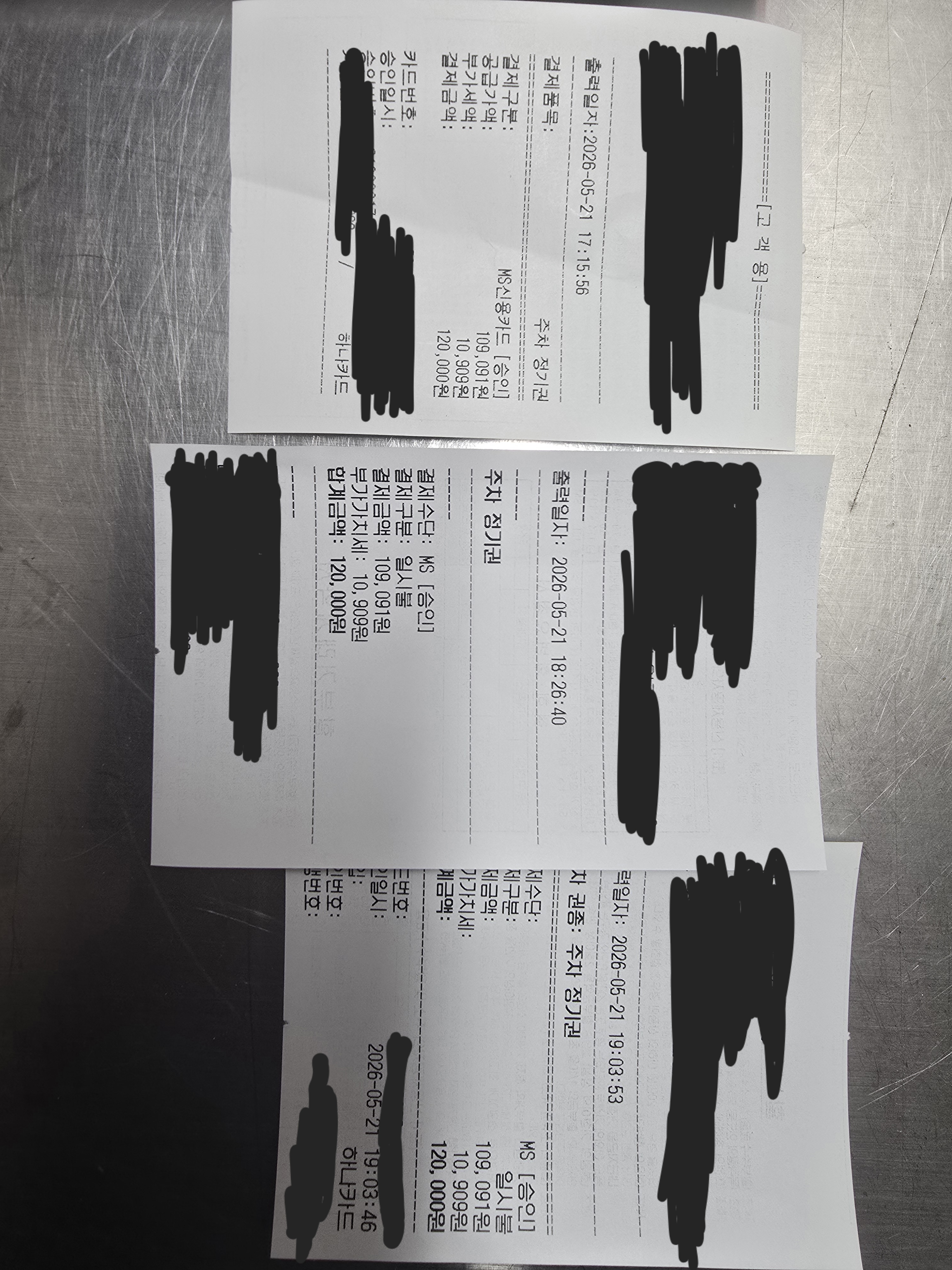
I disabled EVCAT’s built-in receipt service entirely and had Claude reproduce the receipt service from photos I provided. Since all it needed to do was take the data straight from the payment-completion string and lay out the font to fit a 96mm receipt, it came together quickly.
 |
 |
5. Developing Parking Kiosk v1.7
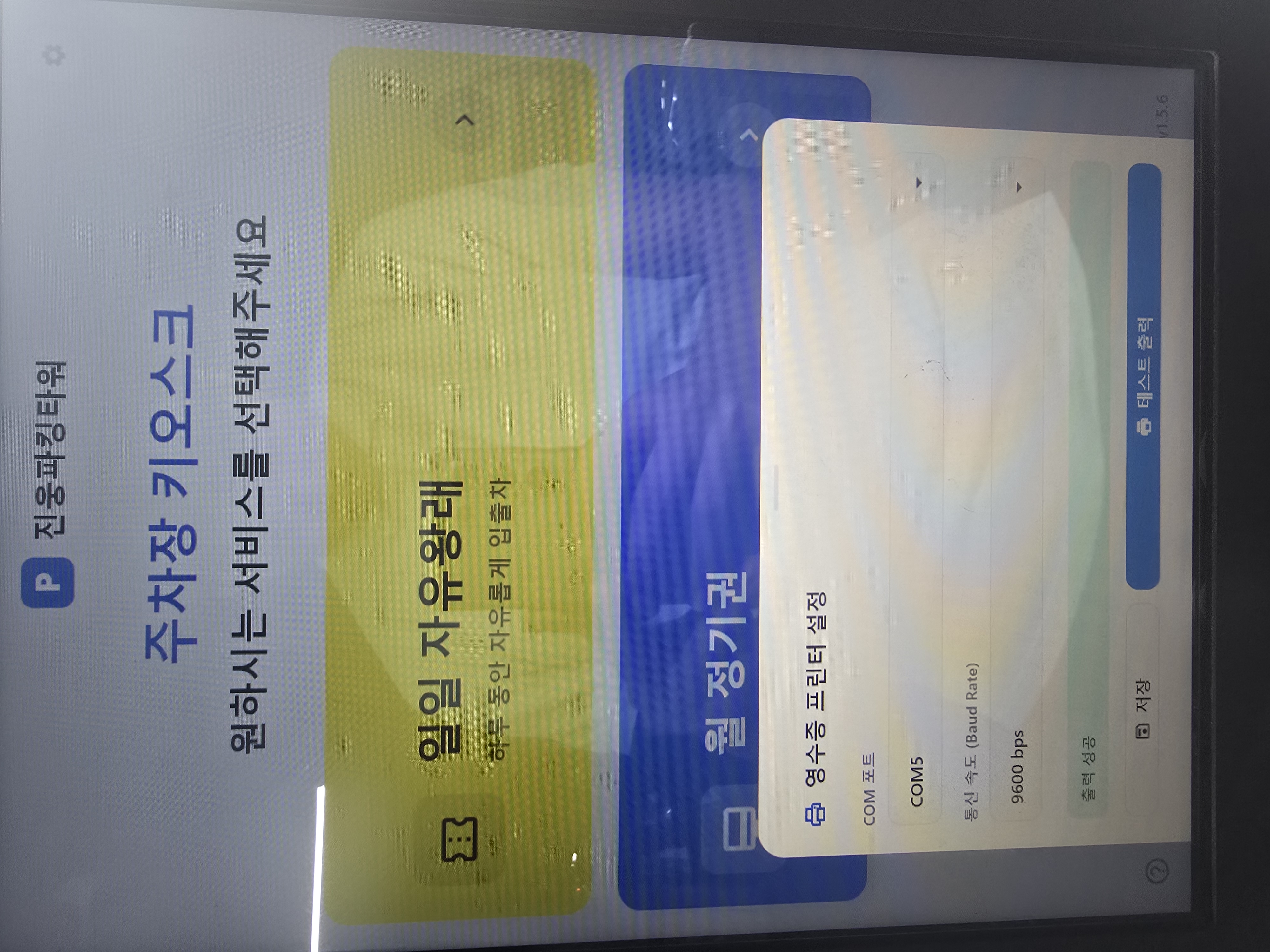
I had Claude refactor away a bunch of small existing bugs and unused screens, and rolled out a new UI and management tools designed to feel less obviously AI-generated. I also added a periodic check of the parking server’s health before allowing a payment, blocking the payment itself if anything looked wrong — closing off any room for disputes. I also set up a nightly app + Windows reboot at 3 a.m., along with uptime update tracking.
6. Building a Mobile App
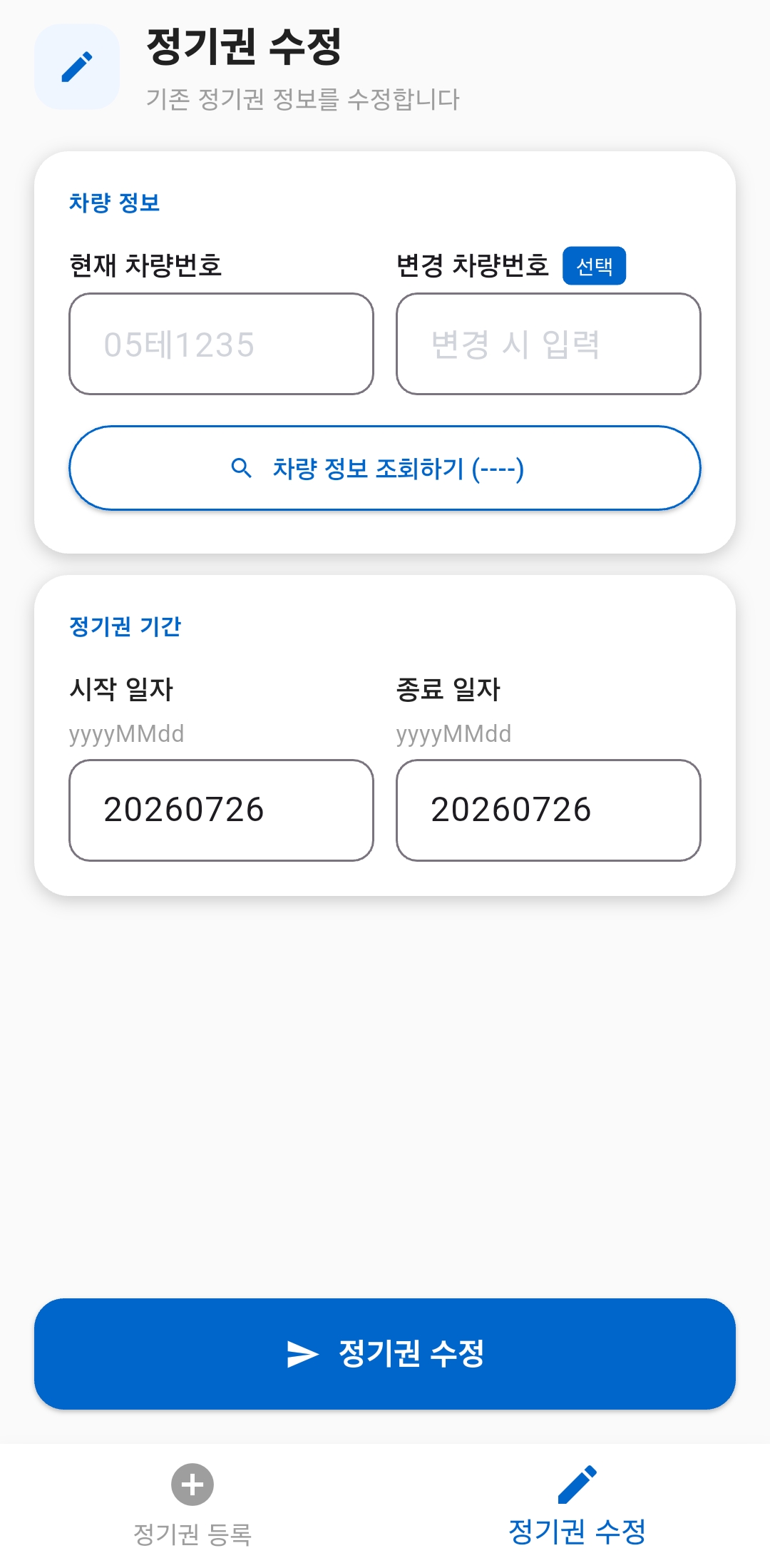
I built a very simple Flutter app that talks over WebSocket, following the exact same approach that worked in Postman — so if an urgent registration or edit is needed, it can be done from a phone too.
7. Reflections on Shipping With Robustness in Mind
The goal shifted from “build one app” to catching edge cases from the user’s perspective and making it structurally hard to go wrong. Payments are a sensitive enough subject that I came away having learned a lot about designing a system that simply can’t fail.