
1. OS Compatibility Issues: Which Windows 10?
I wiped the existing Windows 8-to-10 upgrade install and put on the lighter Windows 10 LTSB 2016. LTSB stands for Long Term Servicing Branch — a high-stability OS variant that gets security updates only, with no feature updates.
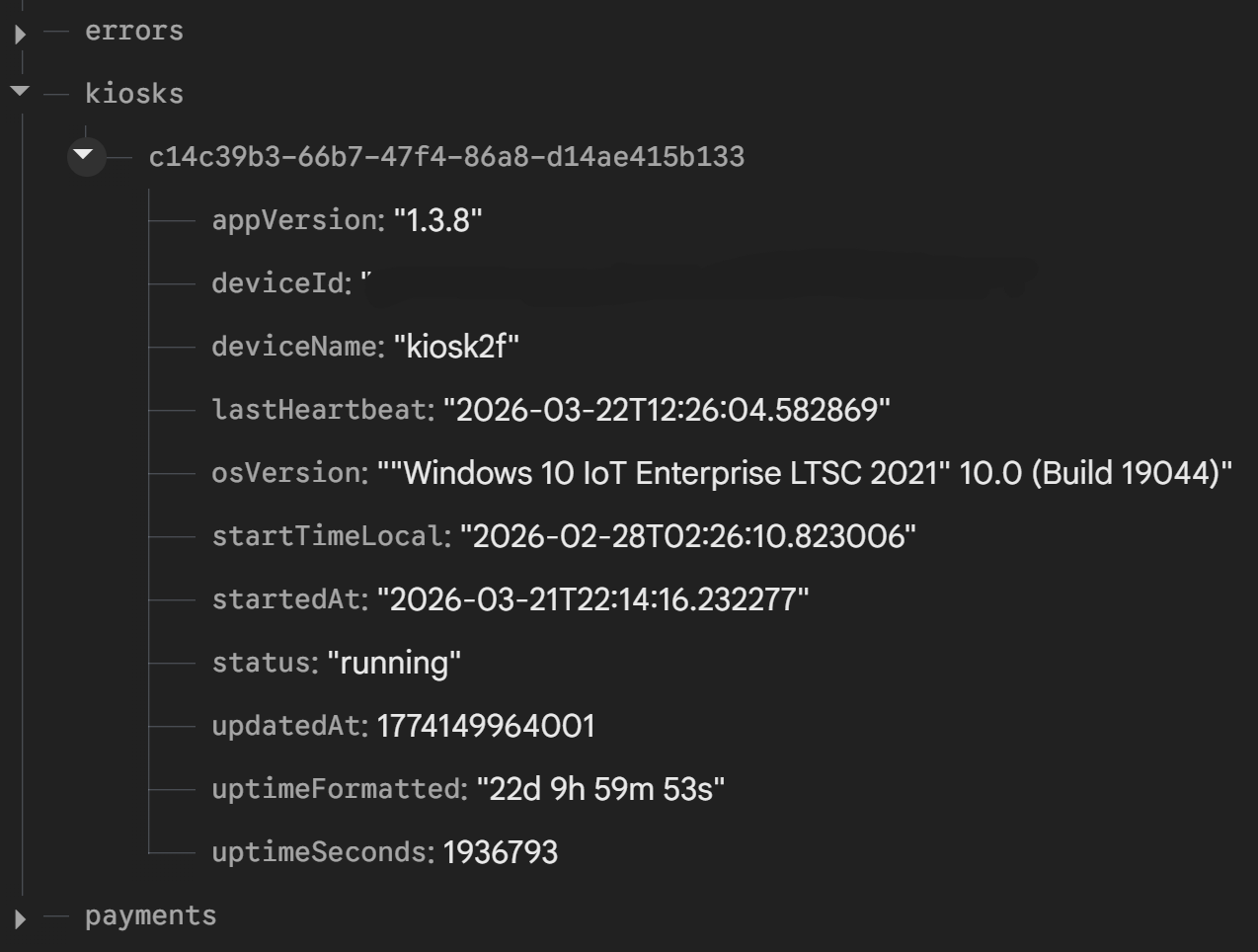
The problem: the app crashed outright the moment Flutter tried to load the Firestore library. It turns out Firestore Native requires a modern HTTP/2-based service called gRPC, which Windows 10 2016 simply doesn’t have.
Even reinstalling with Windows 10 LTSC 2021 didn’t fix it — the low-spec hardware plus gRPC compatibility issues still kept it from working. The cleanest fix would be running the Firebase Admin SDK or a MongoDB compatibility mode, but I wasn’t confident the hardware could keep up.
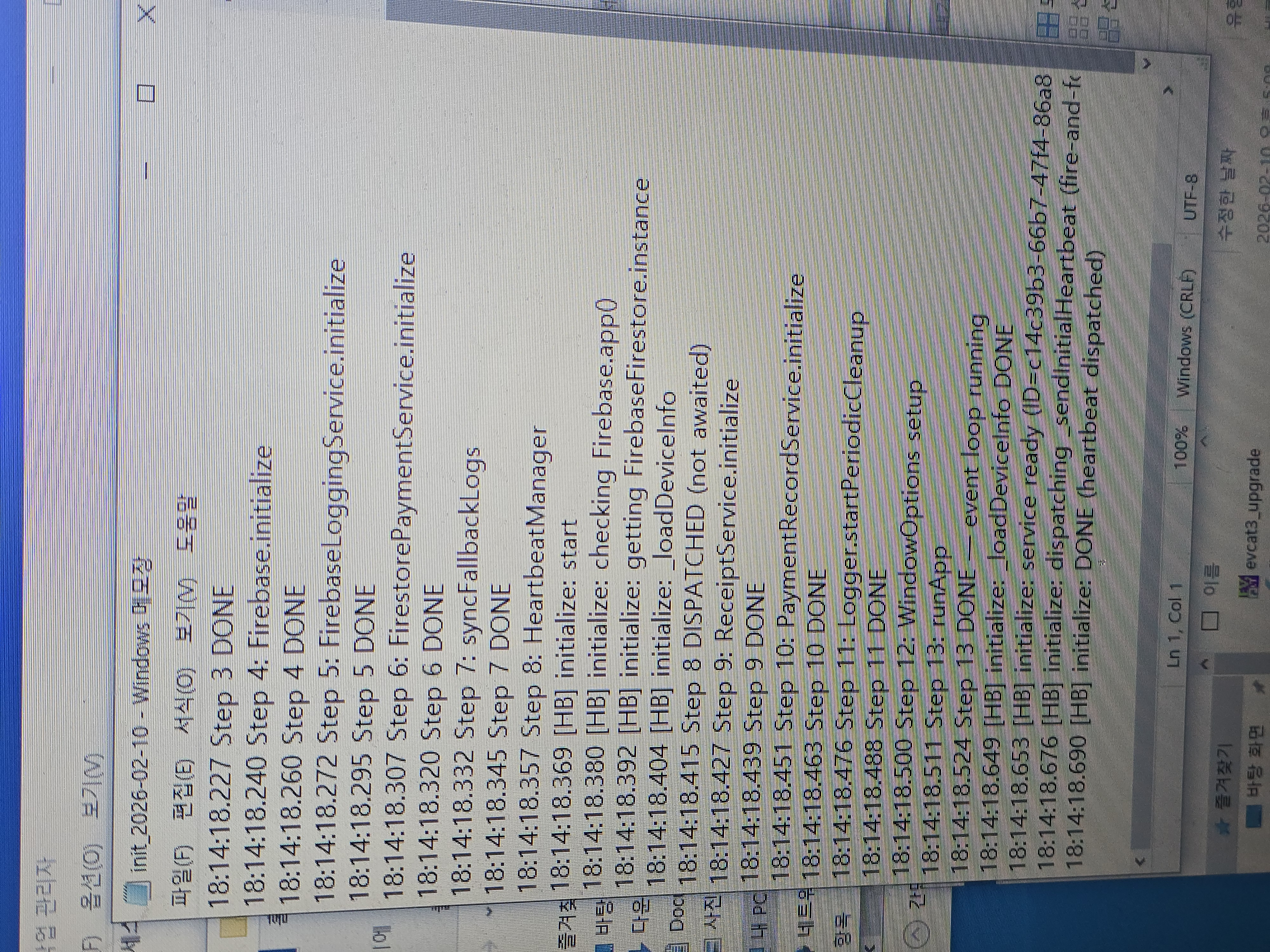
So I settled on Firebase RTDB instead. It runs on plain old HTTP/1.1. Since the HTTPService it relies on was already running for other parts of the app, I could stand up a remote DB with essentially no added overhead. I added a fallback that switches to local logging if initialization fails, and made sure no “personal information” ever gets transmitted — giving me a stable server setup.
 |
 |
2. Encoding Issues: Gibberish Showing Up in the DB
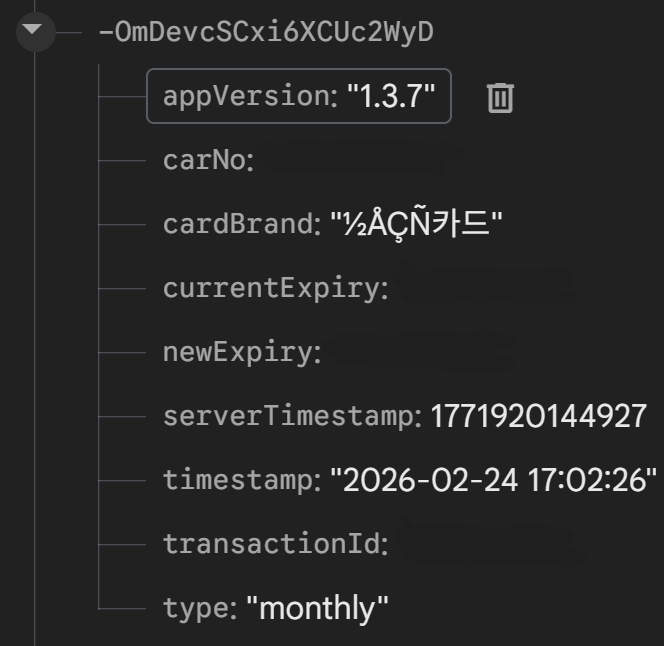
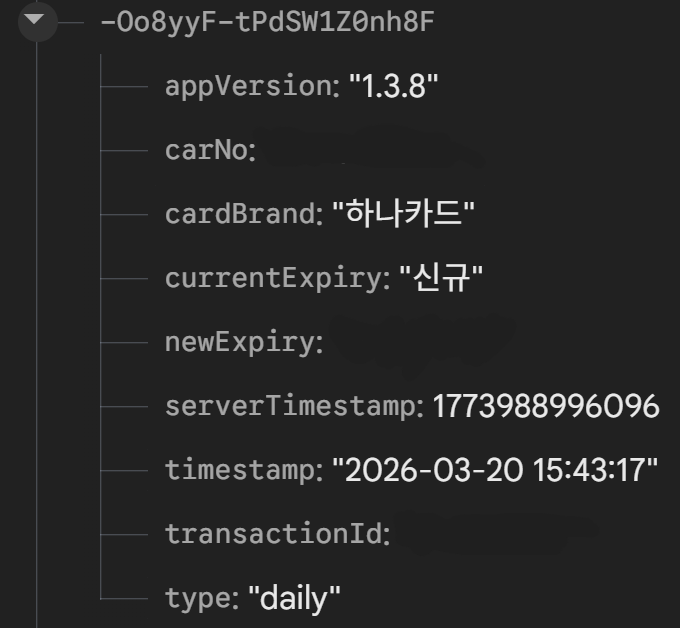
After wiring up Firebase RTDB for payment data, a bug surfaced: garbled “mojibake” text. The catch was that it wasn’t the whole string — only the card name was affected. A “KB Card” would come through fine, but “KB ‘Wise’ Card” would show up mangled, like “???댁즈.”
The cause: the EVCAT software uses Windows’ CP949 encoding, and Flutter’s UTF-8 handling was mangling it on the way out. So I added a CP949-to-UTF-8 translation layer before sending the data, unified the encoding, and the problem went away.
 |
 |
3. Data Security and Compliance
Under Korea’s Personal Information Protection Act, logs and stored data can never contain personal information as plain text. There’s also a rule that logged data must be discarded after 3 months. I implemented app-level logic to auto-purge data after 3 months, and since EVCAT supports masking, I settled on masking card numbers and storing them locally only.
I also made it so that only high-severity log entries (error/payment) get pushed out in real time over Firebase RTDB, keeping that channel tidy.
4. CI/CD and Auto-Update System (In Progress)
The goal is to check for the latest build via the GitHub Releases API and, when a new build is available, run a batch script to apply the update.
The update script was designed to download to a temp folder → kill the running process → replace the files → relaunch, but this got shelved due to hardware constraints.
5. A PEBCAK Problem: Please, Just Wait for the Receipt to Finish Cutting
The receipt printer runs over a basic 115200 serial connection. A few issues came up along the way — printer jams, specifically. Cutting is a separate command, so I set it up to flush the serial buffer and then cut — but if a user grabs and pulls the receipt during the 3-second loop between those steps instead of waiting, it jams and the next receipt can’t print. “Please, just wait!!!”
I plan to fix this later with a receipt guard or a faster flush.
6. A Docs Problem, and Payment vs. DB Update: Chicken or Egg?
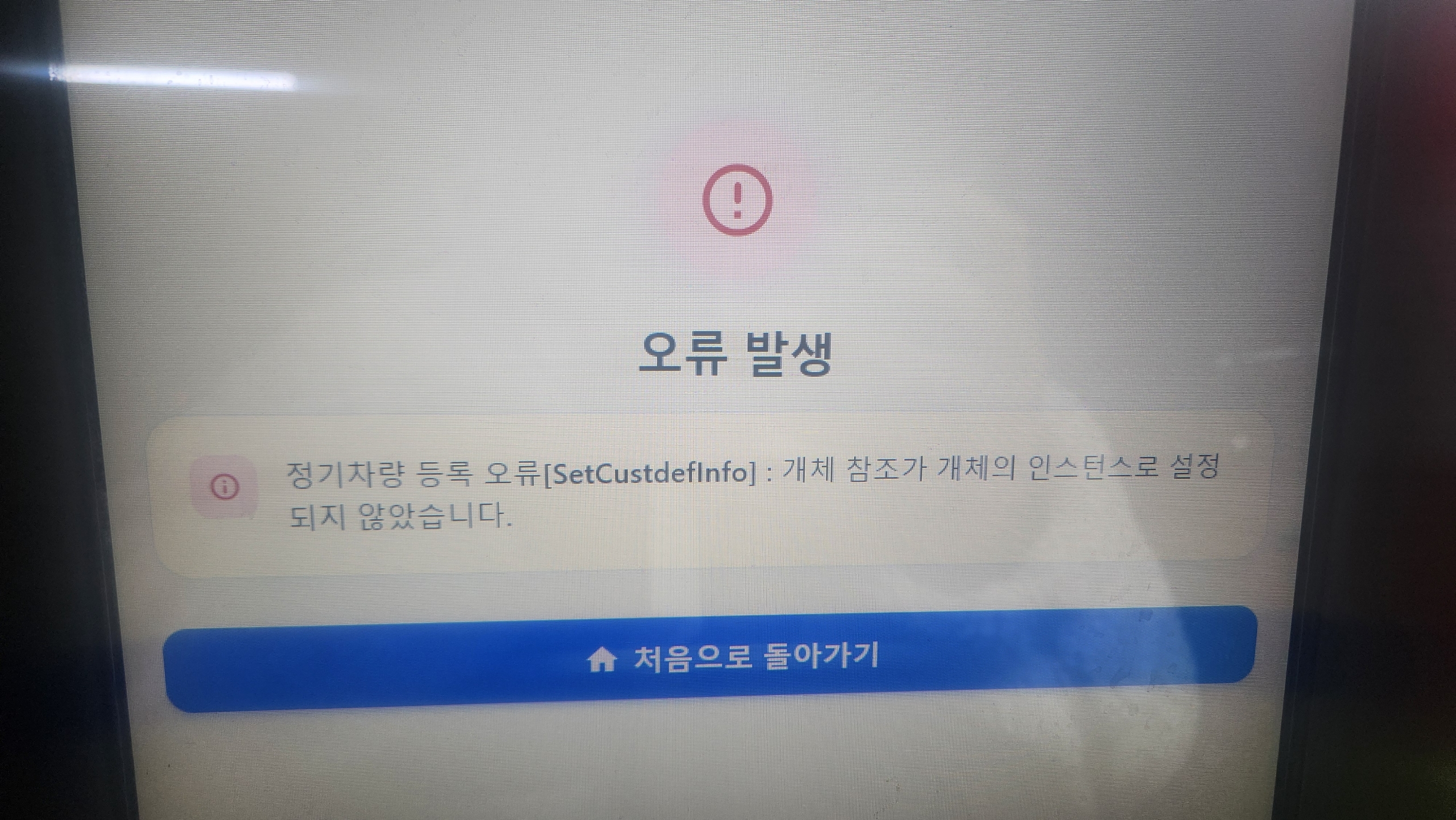
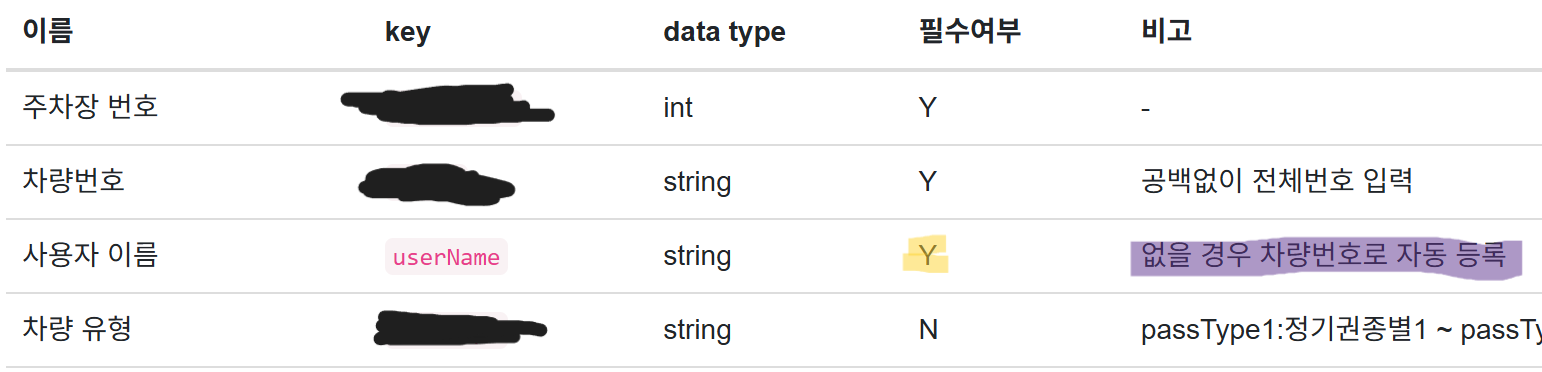
The docs the parking operator provided marked a field as “required,” but a note in the remarks column said “if left blank, defaults to the vehicle’s plate number.” I trusted that note completely and assumed “if I leave it blank, there must be server-side logic that substitutes the plate number,” so I sent it empty. The problem: it really was a required field, so it errored out — resulting in the worst kind of message: “I paid, but it’s not letting me out of the lot.” Once the DB throws an error, there’s no way to undo a payment that already went through — an awful situation to be in.
This is also something I plan to fix later.
 |
 |
7. Wrapping Up the Project
I thought this would just be building a simple front-end app, but I came away realizing that thinking from the real user’s perspective, building maintenance and repair systems, and iterating on a product’s polish by listening to user feedback takes more than just development skill — it’s fundamentally about communication. Especially now, when so much programming is being handed off to AI, isn’t the ability to build for what users actually need the real baseline skill?