
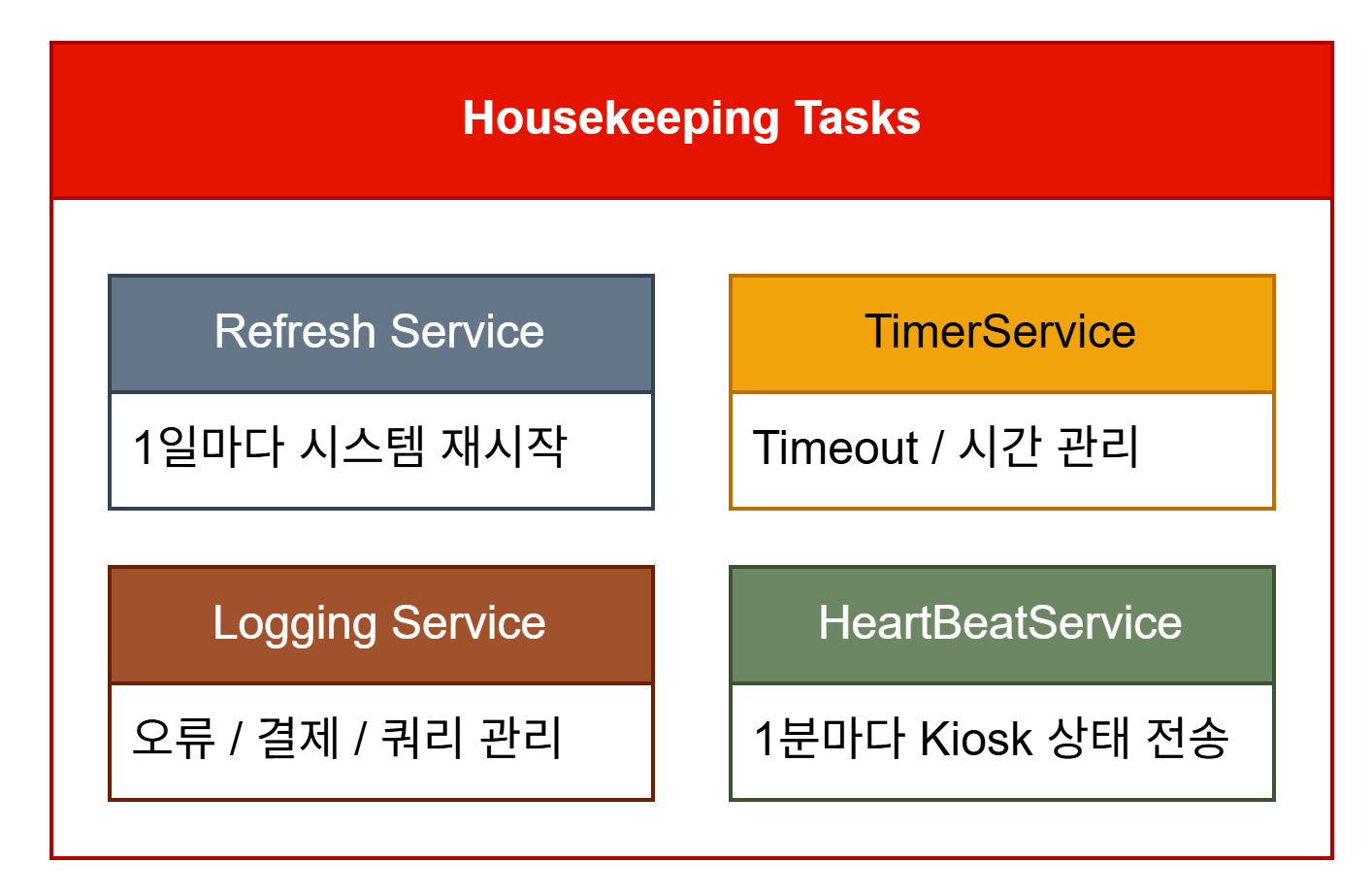
The kiosk software runs on Flutter. The reasons: it simplifies the UI, and it allows an all-in-one design split into service-level modules. Being able to drive serial communication as a service is another advantage. Since the software is relatively heavy for the hardware, though, it auto-restarts roughly once every 24 hours.
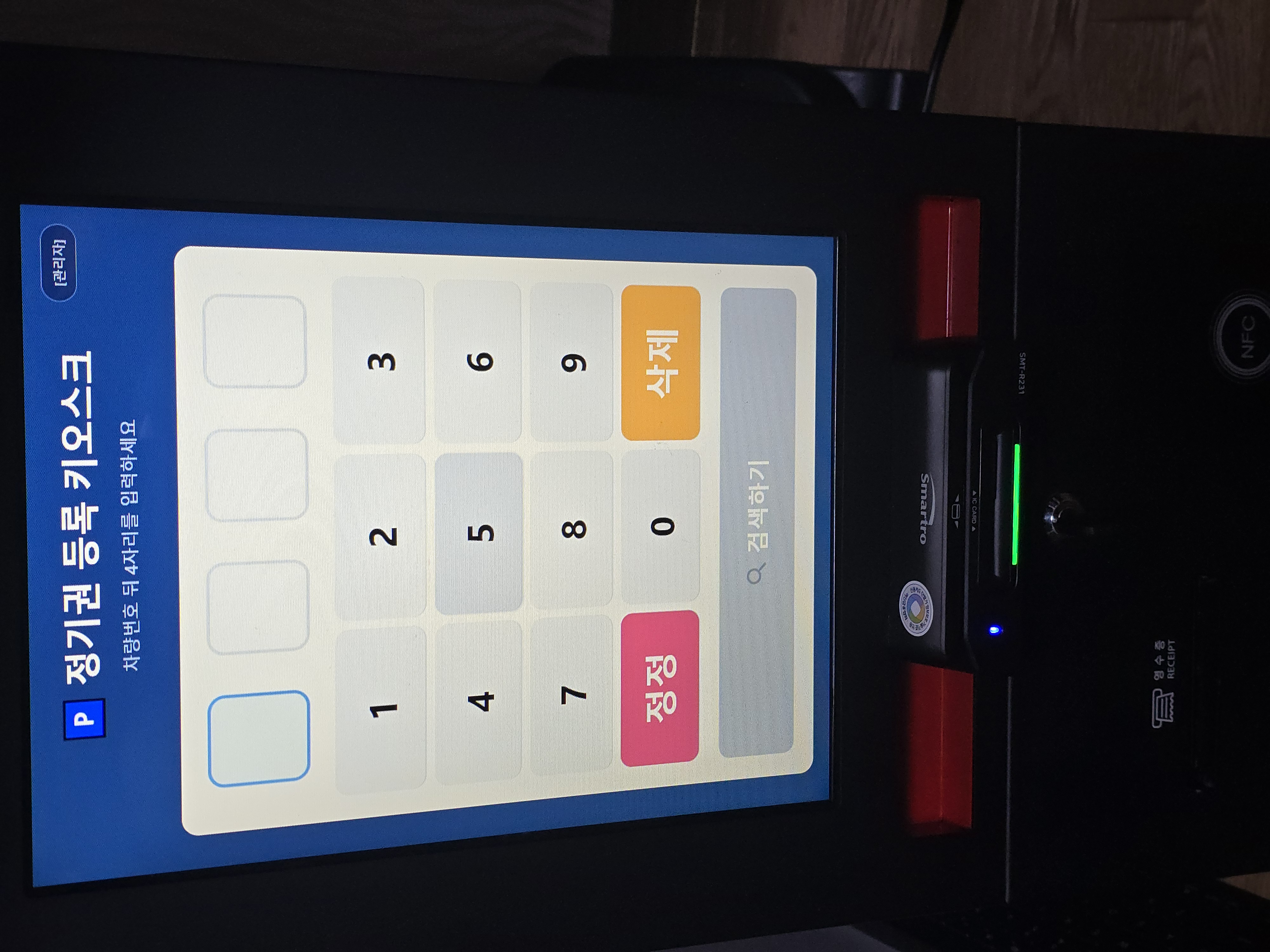
2. System Architecture (Software Layer)
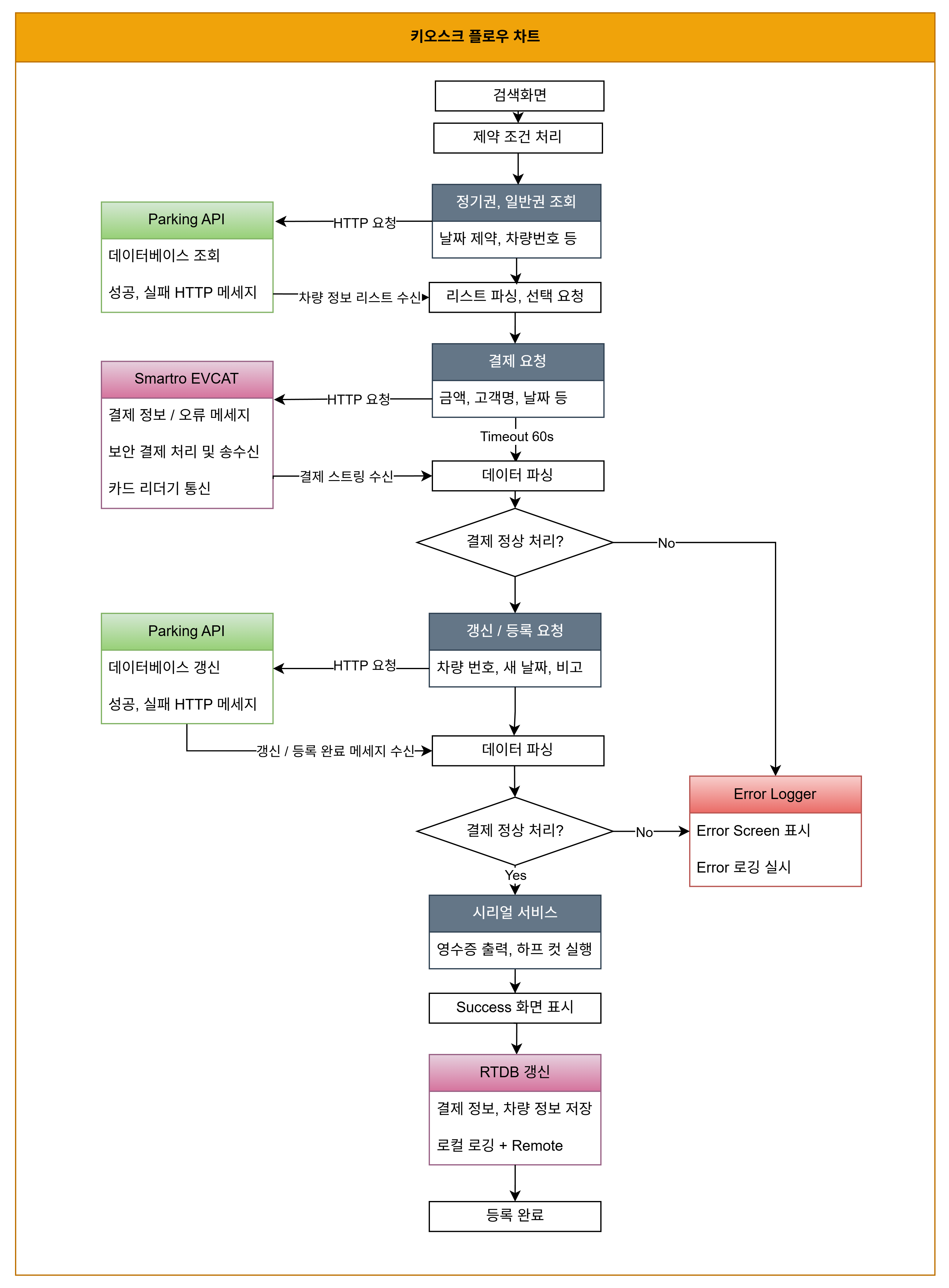
- Payments: communicates with the Smartro EVCAT module over local TCP/IP or serial.
- Parking data: REST API (vehicle lookup, entry-record updates).
- Monitoring: Firebase RTDB (sends/receives real-time status values).
3. Payment Module Integration: Talking to Smartro EVCAT
As mentioned last time, when a user pays, the software itself doesn’t process the transaction directly — a piece of software called V-CAT takes the card data and talks to the card company. All the software has to do is ask V-CAT: “I’m this merchant, please charge this amount for this item.” V-CAT then replies with messages like “payment success” or “payment failed,” and from there it’s just a matter of continuing into the registration flow and logging the result. (Note: card numbers and holder names fall under Korea’s Personal Information Protection Act, so they must never be stored as plain text, and are required to be purged after 3 months.)
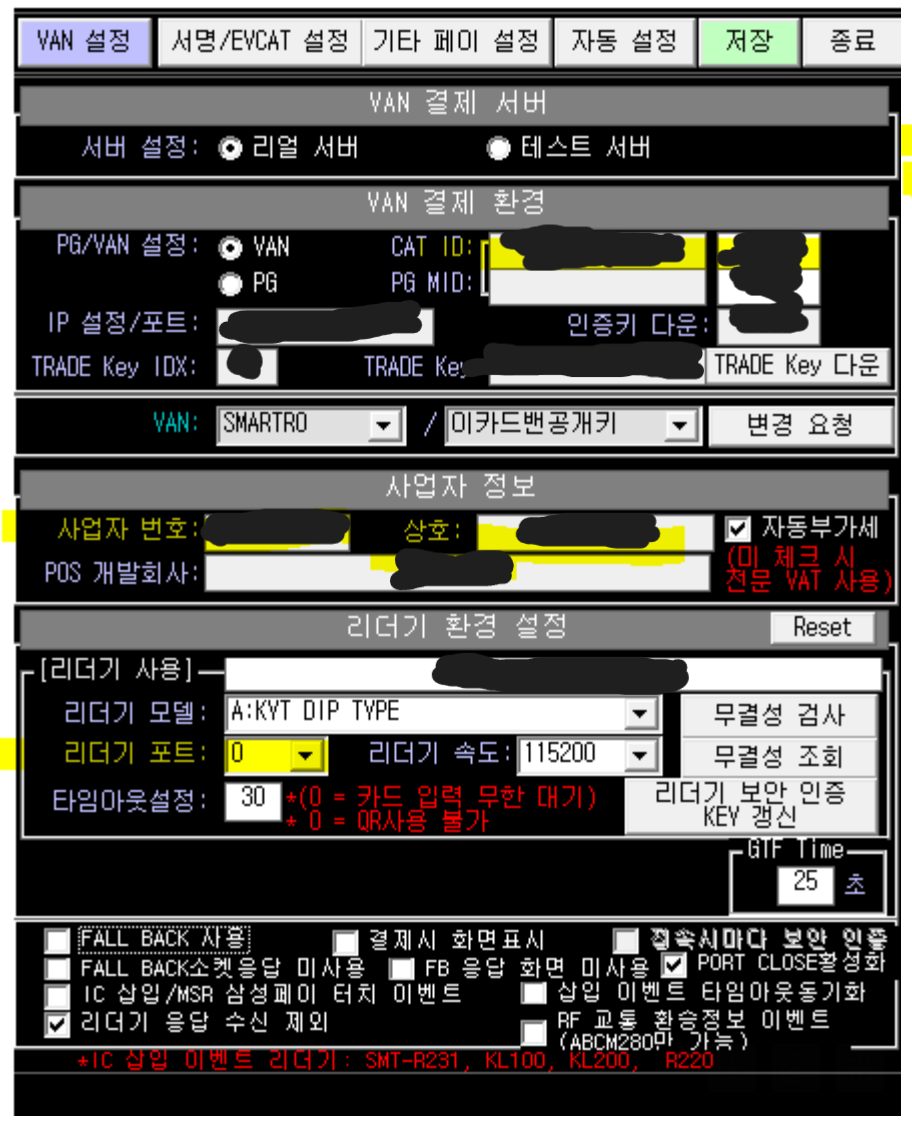
Smartro’s version of V-CAT is called EVCAT, with a UI structured as follows. It handles security authentication and data processing directly — the developer just sends string data to a local server. Korean text encoding needs to be handled carefully here, or characters get mangled (UTF-8 with BOM).
 |
 |
4. Backend Integration: The Parking Lot’s REST API & Firebase
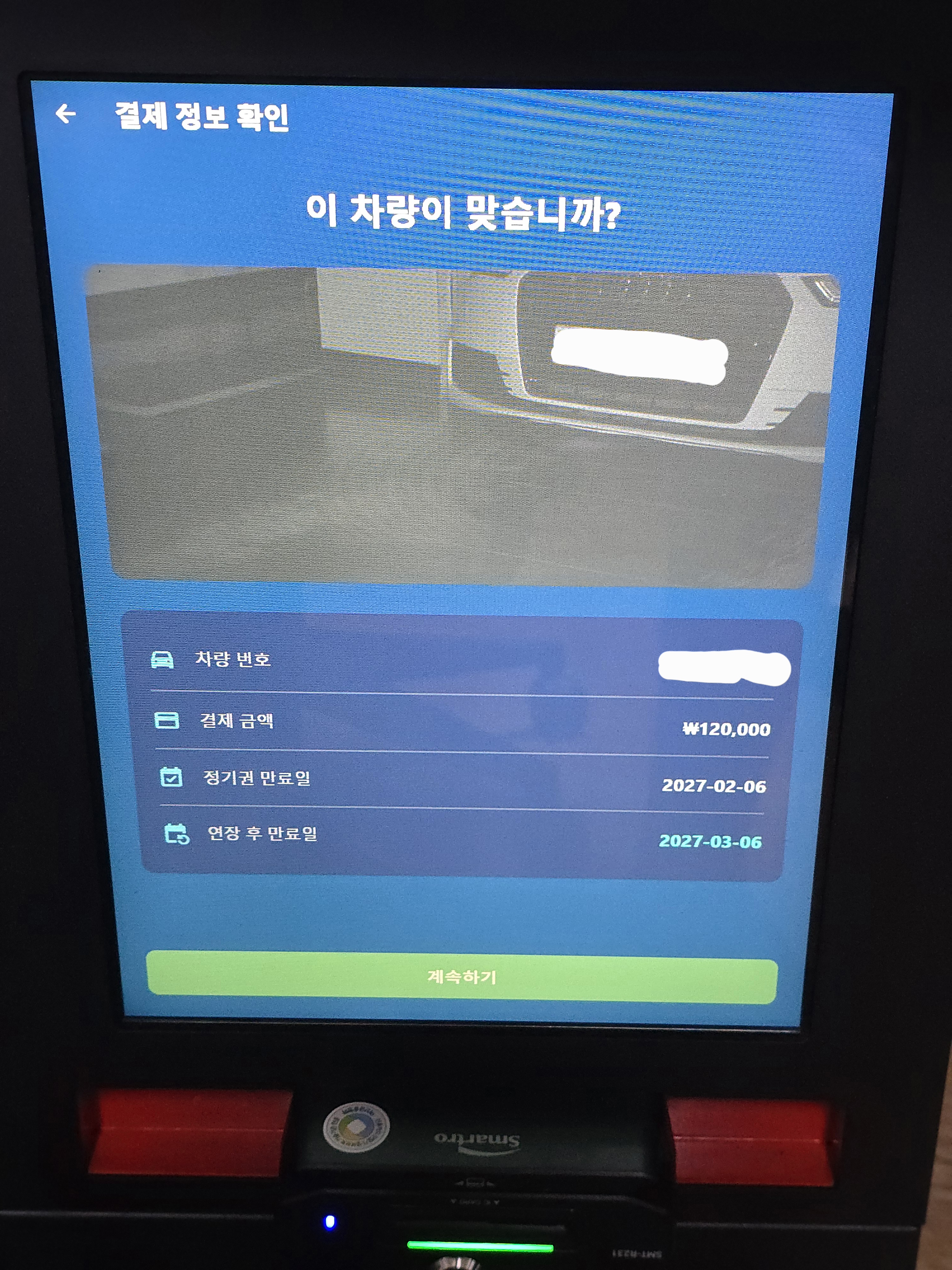
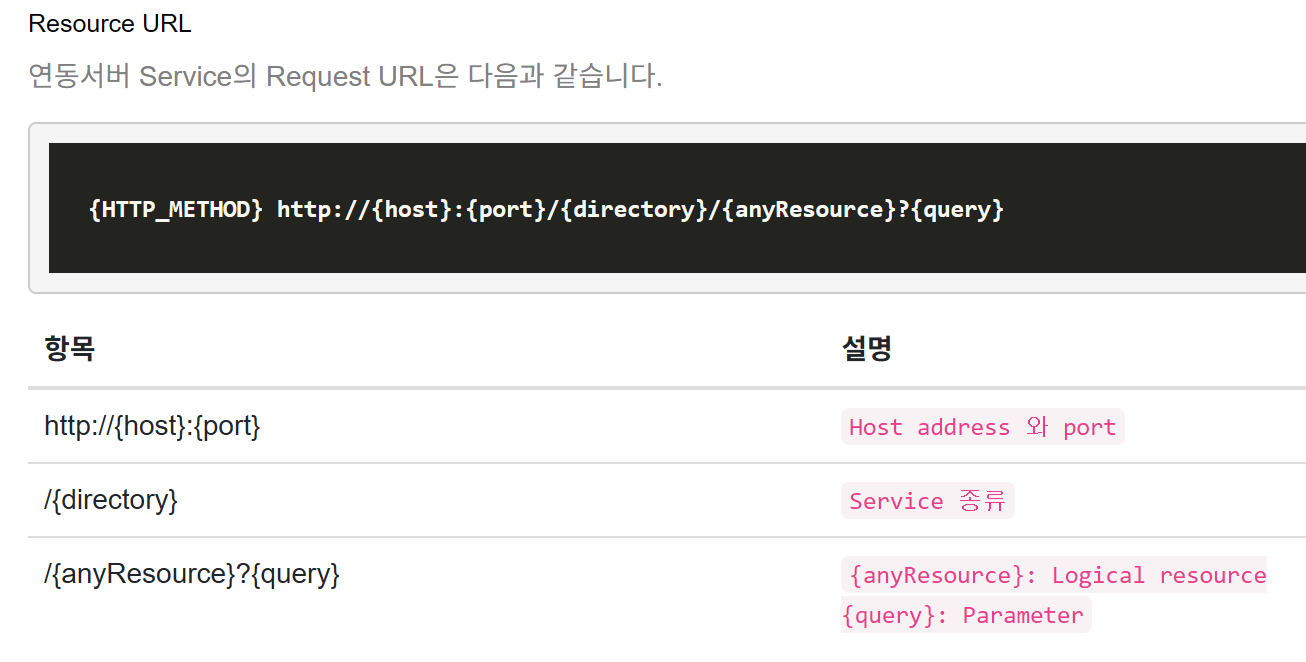
The parking operator currently in use exposes a REST API for accessing the parking DB. It’s closed off by default, so I had to contact their dev team to request it be opened manually. Since their internal DB models things like monthly passes and regular tickets as a multi-tier structure, getting the query pipeline solid was essential to avoid touching sensitive DB records the wrong way and to minimize duplicate or unhandled-exception cases.
 |
 |
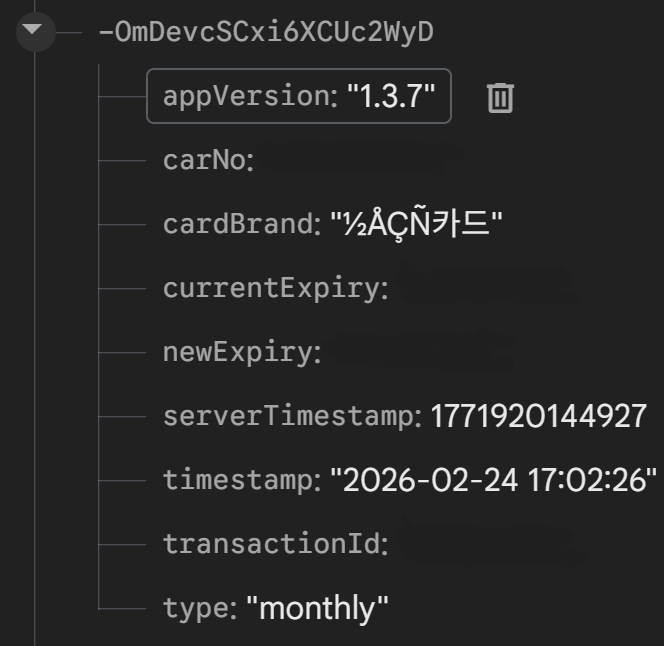
Every minute, a heartbeat goes out over Firebase RTDB to report that the system is alive, letting the admin web dashboard confirm it’s online. Every payment, error, and boot event gets logged to both the local and remote DB, with anything sensitive under the Personal Information Protection Act encrypted and stored locally only.
5. Maintenance Automation Logic
To comply with the Personal Information Protection Act mentioned above, local log files are set to auto-delete after 3 months, and rather than hard-coding date logic, a config file lets me adjust the date, the 1st-of-month/end-of-month tolerance, and similar parameters.
The program also has a startup batch file and a self-refresh feature that kicks in after 24 hours, giving it a degree of self-verification.
6. Wrap-Up and What’s Next
The hardest part of any product is maintenance. Next time: error handling in actual deployment, DB docs issues, Windows OS version compatibility, payment errors, and even receipt PEBKAC problems.